
If you use social media on a regular basis especially for work you may have considered using scheduling software. Scheduling software will help you share pre-written posts on social media on sites such as Facebook, Twitter and Instagram and allow you to schedule them in advance. This means you can post when you are doing something else, so provides convenience. One such software is ContentCal.
ContentCal is a platform for planning and auto-publishing marketing content, a social media automation tool. Signing up for ContentCal is easy and the basic account is free whilst a company account is from $59 a month.
Basic Account
With a basic account, you get one user and one calendar. With this, you can have 4 social profiles. You get chat and email support as well. You get analytics with a PDF export. This is perfect for a small business, and if you are a blogger for example.
Company Account
With a company account, you get two users and two calendars. With this, you can have 8 social profiles. You get everything a personal account gets as well as the ability to assign roles, approve workflows and have an advanced video uploader. The collaboration aspect is a big plus if you have a company account, as others can work on the same projects seamlessly.
Video Training
So the first thing I would recommend is viewing the videos available free of charge on the platform to see how it works. The quick start guide video will give you a basic understanding while managing users, roles and approvals is essential viewing if you have a company profile.
Setting Up
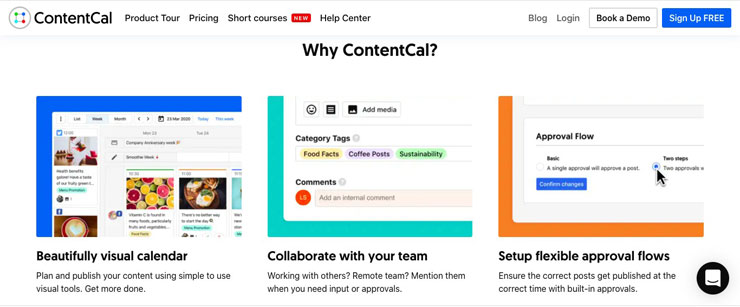
This social media publishing tool was easy to set up, by day, week or month. There is a search function that allows you to find content based on a certain phrase or word as well as the ability to export content to an excel document. Content Cal is a great visual platform. You can drag and drop posts easily to your pinboard to fill up your calendar.
Business Account
ContentCal comes into its own when you work on it as part of a team. You can see accurate previews of posts, create draft posts and get your team’s feedback before publishing. Collaborations have never been so easy. You can also save ‘snippets’ which are commonly used phrases or hashtags so everything is in one place, whilst you can handle your team’s enquires with the Respond section.

Analytics
The analytics section is extremely useful for everyone. Here you can identify your best performing content, and identify your most successful channels, helping you choose what to republish. You can also check on follower growth across all channels and identify the best times to post to get the most engagement.
Benefits Of Using ContentCal
As you can see there are many benefits of using ContentCal as an individual and as a company. It’s easy to set up and has a very intuitive interface. I really think it comes into its own when used collaboratively with other people and can hugely benefit companies. The analytics provides extremely useful data so you can identify what works on social media, allowing you to tweak content and republish killer content. If you are looking for a social media publishing tool, I feel ContentCal is definitely worth trying.